Hundreds of WordPress Sites Are Now Trapping Windows Users With Fake reCAPTCHA
- The Mess: Attackers compromised hundreds of WordPress sites and turned them into malware delivery infrastructure. A malicious Service Worker injects fake reCAPTCHA pages, pulls payloads from a blockchain smart contract and uses ClickFix to trick Windows users into executing
mshta, eventually delivering the Amatera information stealer. - The Damage: The attack can steal browser credentials and other sensitive Windows data without requiring the victim to download a traditional executable.
- The Fix: Leave any CAPTCHA page that tells you to press Win+R, open PowerShell or paste a command into Windows; website owners should inspect WordPress plugins and Service Workers for unauthorized modifications.
The fake CAPTCHA looks familiar.
That’s the point.
You visit a legitimate WordPress website.
You get a “Verify you are human” prompt.
You click the box.
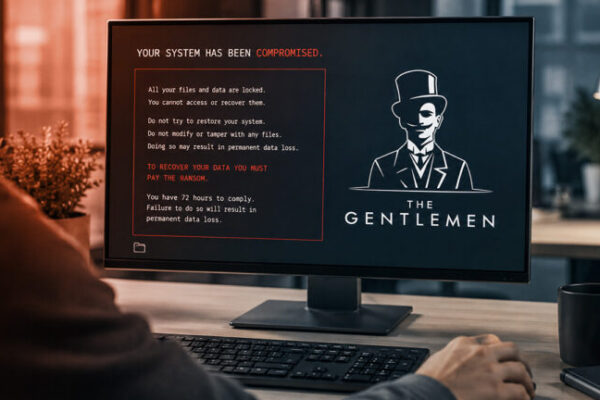
Then the website tells you to press Win+R and paste something.
That’s where the CAPTCHA ends.
And the malware installation begins.
The Website Has Already Been Compromised
Researchers at Netskope Threat Labs discovered a campaign affecting hundreds of legitimate WordPress websites.
The attackers aren’t simply redirecting visitors to some random malicious domain.
They’re modifying the websites themselves.
A rogue WordPress plugin installs a malicious Service Worker in the visitor’s browser.
The Service Worker then intercepts page responses and injects attacker-controlled JavaScript.
That is a nasty trick.
Because the browser itself becomes part of the attack infrastructure.
The Payload Isn’t Sitting on the WordPress Server
Here’s where this campaign gets particularly interesting.
The attackers don’t need to keep the entire malicious payload on the compromised website.
The injected JavaScript communicates with a Base blockchain smart contract.
The contract contains the next-stage instructions and payload data.
This technique is known as EtherHiding.
Instead of:
compromised WordPress → malicious server
the chain becomes:
compromised WordPress → browser → blockchain → payload
That makes traditional takedown operations considerably more annoying.
You can clean the WordPress site.
The smart contract is still there.
And the attackers can change what the contract serves without modifying the compromised website again.
Then Comes the Fake CAPTCHA
The injected page imitates a legitimate human-verification screen.
But instead of actually verifying anything, it gives the visitor instructions.
Click.
Copy.
Press Win+R.
Paste.
Run.
That’s ClickFix.
The victim effectively executes the attack themselves.
And that’s the clever part.
Security software is very good at detecting suspicious downloads.
It’s harder to block a user who willingly opens the Windows Run dialog and executes a command they believe came from a website.
Windows Gets mshta
The command delivered to the victim uses Microsoft’s legitimate mshta.exe utility.
The campaign reportedly disguises the next-stage payload as an MP3 file containing an embedded HTA application.
mshta processes the malicious content.
From there, the chain creates a scheduled task and launches encoded PowerShell code.
So the attack chain looks roughly like this:
Compromised WordPress
↓
Malicious Service Worker
↓
Fake reCAPTCHA
↓
ClickFix
↓
Windows Run
↓
mshta
↓
PowerShell
↓
Loader
↓
Amatera stealer
That’s a long way to go just to steal passwords.
But the attackers have a reason.
The Final Payload Is Amatera
The final-stage malware is Amatera, also known as ACR Stealer or AcridRain.
It’s an information stealer targeting Windows systems.
The malware can target browser credentials and other sensitive information stored on the machine.
And that’s where the compromised WordPress website becomes valuable.
The attacker doesn’t necessarily care about your browsing session.
They want what’s behind it.
Passwords.
Credentials.
Tokens.
Wallet information.
Anything that can be monetized or reused in another attack.
The WordPress Administrators Don’t See the Same Thing
There’s another clever detail.
The malicious Service Worker and injected JavaScript deliberately avoid WordPress administration traffic.
Requests involving:
/wp-admin
/wp-login.php
and the wordpress_logged_in_ cookie can be excluded from the malicious behavior.
Why?
Because the website owner is the person most likely to notice something strange.
A normal visitor sees:
“Verify you are human.”
The administrator sees:
“Everything looks normal.”
That’s a much better way to keep a compromised website alive.
The Blockchain Is Being Used as Infrastructure
This is probably the most interesting technical aspect of the campaign.
Attackers have been using compromised websites as malware infrastructure for years.
That’s nothing new.
But combining:
WordPress
Service Workers
blockchain
fake CAPTCHA
ClickFix
mshta
fileless PowerShell
creates a much harder chain to dismantle.
The blockchain component acts as a place to store and retrieve instructions.
It’s not simply cryptocurrency.
It’s infrastructure.
And that’s a distinction defenders need to understand.
Why Service Workers Matter
Service Workers are legitimate browser technology.
They’re used for things like:
- offline functionality;
- caching;
- background requests;
- progressive web applications.
That makes them attractive to attackers.
Once malicious code registers a Service Worker, it can continue influencing browser traffic even after the original page changes.
Netskope specifically identified this behavior as one of the unusual aspects of the campaign.
The browser isn’t just displaying the malicious page.
It’s helping maintain the attack.
Thousands of WordPress Sites Are Already a Problem
This campaign shouldn’t be confused with the separate StopAndProtect operation that used nearly 2,000 hacked WordPress sites for malware distribution, C2, data theft and ransomware.
That operation was documented by Check Point earlier in August and also used fake CAPTCHA/ClickFix techniques.
The overlap is interesting.
WordPress is becoming useful to attackers for much more than redirecting traffic.
A compromised website can become:
a malware host
a C2 component
a tracking system
a phishing platform
a browser attack platform
or all of them at once.
The User Doesn’t Need to Download Anything
This is the part Windows users should remember.
You don’t necessarily get:
malware.exe
You don’t necessarily get:
invoice.zip
You don’t necessarily get:
setup.msi
Instead, the website tells you:
“Run this command to verify you’re human.”
That’s social engineering.
The browser delivers the instructions.
Windows executes them.
The user becomes the final execution mechanism.
The Rule Is Simple
A legitimate CAPTCHA does not need you to:
press Win+R
open PowerShell
open Command Prompt
paste a command
or
run mshta.exe
If a verification page asks you to do that:
close the tab.
Don’t investigate.
Don’t “try it just to see what happens.”
Don’t paste the command into VirusTotal and then run it anyway.
Leave.
WordPress Owners Have Their Own Problem
Visitors aren’t the only victims here.
If your WordPress website is compromised, you’re potentially distributing malware to people who trust your domain.
That makes website security an operational problem, not just a content-management problem.
Administrators should inspect:
must-use plugins
recently modified PHP files
unknown JavaScript
Service Worker registrations
unexpected cron jobs
new administrator accounts
and
changes to security headers such as Content-Security-Policy.
The campaign described by Netskope specifically involved a rogue must-use plugin and manipulation of CSP headers.
Bugstoday Opinion
This is exactly the kind of attack that makes traditional phishing advice look increasingly outdated.
We’re used to:
“Don’t open suspicious attachments.”
Fine.
But what happens when the attacker doesn’t send you an attachment?
You visit a website you already trust.
The website is compromised.
The CAPTCHA looks legitimate.
The browser loads the instructions.
And then the attack tells you to execute the command.
That’s much nastier.
The attacker doesn’t need to defeat every Windows security mechanism.
They just need to convince the user to open the front door.
And the blockchain trick makes the infrastructure harder to tear down once the campaign is running.
Bugstoday verdict: a compromised WordPress site used to be someone else’s problem until you visited it. Now it can become the first stage of a Windows malware chain that ends with credential theft. If a CAPTCHA asks you to open Win+R and paste a command, congratulations — you are not proving you’re human. You’re doing the attacker’s job for them.