ScreenConnect Is Under Active Attack — Remote Sessions Can Push Unauthorized Files
- The Mess: ConnectWise patched CVE-2026-84869 after attackers began exploiting a missing-authorization flaw in ScreenConnect’s file-transfer handling. The bug can allow files to be transferred and executed through an active remote session without the required host confirmation.
- The Damage: A compromised or abused remote-support session can become a direct path to executing attacker-controlled files on the connected endpoint.
- The Fix: Upgrade ScreenConnect to 26.6.5 or later and, until patched, remove the
TransferFilespermission from every applicable role.
ScreenConnect just got another ugly security problem
ConnectWise’s September 8 security bulletin describes CVE-2026-84869, a missing-authorization vulnerability in the ScreenConnect client.
The official CVSS score is 9.9.
The vulnerability is tracked as:
- CVE: CVE-2026-84869
- CWE: CWE-862 — Missing Authorization
- Additional weakness: CWE-269 — Improper Privilege Management
- CVSS: 9.9
- Affected versions: ScreenConnect before 26.6.5
- Fixed version: 26.6.5
ConnectWise says the issue can allow files to be transferred and executed through an active remote session without authorization or host confirmation in certain circumstances.
That is a nasty boundary to lose.
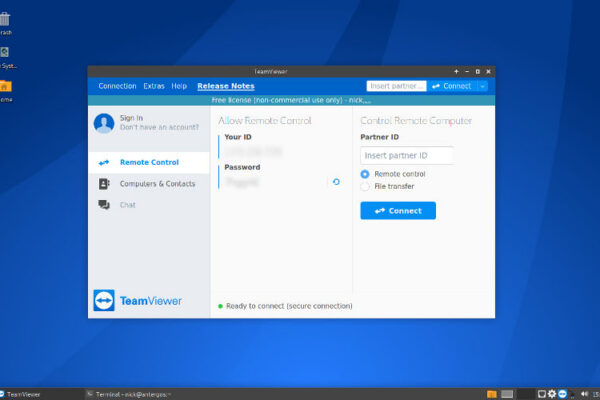
ScreenConnect is remote-management software. Its entire purpose is to let one machine control another.
When authorization around file transfer breaks, the feature designed to help administrators becomes part of the attack path.
This is not a server-side RCE
There is an important technical distinction.
ConnectWise explicitly says the ScreenConnect servers are not impacted by this vulnerability.
The problem is in the client and session handling around file transfer and execution.
That changes the attack model.
This isn’t:
Internet → vulnerable ScreenConnect server → RCE
It is closer to:
remote session → authorization bypass → file transfer → file execution → endpoint compromise
The attacker needs the relevant session conditions and access required to reach the vulnerable functionality.
That is why ConnectWise classifies the issue as Important rather than Critical despite the 9.9 CVSS score.
But the distinction does not make the vulnerability academic.
Remote-management software is already sitting at a privileged operational boundary.
The dangerous word is “without authorization”
Normally, a remote support workflow should enforce several checks before transferring or executing a file.
Who initiated the action?
Does the session have the required permission?
Does the host need to confirm it?
Does the connected endpoint permit the operation?
CVE-2026-84869 undermines that model in certain circumstances.
ConnectWise describes the vulnerability as a condition where files can be transferred and executed through an active remote session without the expected authorization or host confirmation.
That means the security boundary is no longer just authentication.
It is authorization inside an already established remote session.
Those are different things.
An authenticated session does not automatically mean every action inside that session should be trusted.
TransferFiles is the temporary pressure valve
ConnectWise published an interim mitigation before the general security update became available.
Administrators who could not immediately upgrade were told to remove the:
TransferFiles
permission from ScreenConnect roles.
Older versions may refer to the permission as:
TransferFilesInSession
The setting lives under:
Administration → Security → Roles
Administrators need to review the session groups assigned to each role and remove the file-transfer permission where it is enabled. ConnectWise explicitly states that this is a temporary mitigation and not a replacement for upgrading.
This is a useful emergency control because it attacks the vulnerable functionality directly.
But it also demonstrates the problem.
The feature isn’t inherently malicious.
It is a legitimate administrative function.
The vulnerability is in how authorization around that function is enforced.
The affected version range is broad
ConnectWise says:
ScreenConnect versions prior to 26.6.5 are affected.
For on-premises deployments, administrators should upgrade to 26.6.5.
Cloud deployments were upgraded automatically, according to ConnectWise. Afterward, administrators still need to reinstall host clients and update access agents as directed by the vendor.
This creates an important distinction between the central ScreenConnect service and the endpoints connected to it.
Patching the server isn’t necessarily the end of the job.
The clients and agents participating in remote sessions also need to reach the fixed state.
Why RMM vulnerabilities are particularly dangerous
Remote management software already has unusual privileges.
It can:
- access endpoints,
- transfer files,
- execute commands,
- install software,
- troubleshoot systems,
- interact with administrative sessions.
That makes an authorization flaw more interesting than the same CWE in an ordinary web application.
The attacker does not need to convince Windows to execute an arbitrary binary through some obscure operating-system bug.
The remote-support platform already has mechanisms for doing exactly that.
The vulnerability potentially changes who is allowed to use those mechanisms.
That’s the security boundary that matters.
Active exploitation changes the response
ConnectWise’s bulletin assigns the vulnerability Priority 1 — High, which the vendor defines for vulnerabilities that are being targeted or have a higher risk of being targeted by exploits in the wild.
By September 16, CISA warnings were highlighting active exploitation of the ScreenConnect flaw.
That makes this different from a routine monthly patch.
Organizations running on-premises ScreenConnect should not treat 26.6.5 as a normal maintenance upgrade that can wait for the next convenient window.
What administrators should do
1. Upgrade to 26.6.5
This is the primary fix.
If you’re running an on-premises ScreenConnect installation below 26.6.5, upgrade it.
ConnectWise notes that on-premises partners must meet the relevant upgrade eligibility requirements and that the upgrade path depends on the installed version.
2. Disable TransferFiles if you cannot patch immediately
Go to:
Administration → Security → Roles
Review every role and its session groups.
Remove:
TransferFiles
or, on legacy installations:
TransferFilesInSession
Do this for every applicable role.
Then patch as soon as possible.
3. Update clients and agents
After upgrading the ScreenConnect installation, reinstall host clients and update access agents as required.
The central server being patched does not automatically mean every endpoint participating in remote sessions is running the corrected client code.
4. Review ScreenConnect users
ConnectWise recommends reviewing users after remediation.
Look for:
- unknown accounts,
- unexpected role assignments,
- excessive privileges,
- recently created users,
- disabled MFA,
- suspicious administrative activity.
Remove accounts that should not exist.
5. Force technicians to authenticate again
If compromise is suspected, ConnectWise recommends resetting passwords, reviewing audit logs and forcing technicians to sign back in.
MFA should also be enabled wherever supported.
6. Investigate endpoints, not just ScreenConnect
This is the part administrators can easily miss.
If an attacker abused remote-management functionality, the endpoint is where the payload may have landed.
Look for:
- recently created executables,
- unexpected PowerShell activity,
- new scheduled tasks,
- suspicious services,
- unusual outbound connections,
- unexpected administrative accounts,
- binaries transferred shortly before suspicious activity,
- remote sessions outside normal working patterns.
The ScreenConnect server may look perfectly healthy while an endpoint connected through it is already compromised.
Cloud versus on-premises
ConnectWise says cloud ScreenConnect instances were upgraded automatically.
On-premises deployments require administrator action.
That makes asset inventory important.
Organizations often know they use ScreenConnect.
They do not always know where.
Check:
- standalone ScreenConnect servers,
- Automate-integrated installations,
- old support infrastructure,
- test instances,
- disaster-recovery servers,
- forgotten remote-access appliances.
An abandoned RMM server is exactly the sort of thing attackers love.
Don’t confuse this with older ScreenConnect vulnerabilities
ScreenConnect has had other security issues this year.
ConnectWise separately disclosed CVE-2026-3564, a cryptographic-signature issue addressed in version 26.1, involving protection of instance-specific machine keys.
CVE-2026-84869 is different.
It concerns file transfer and execution authorization during remote sessions.
The distinction matters when checking inventories and incident timelines.
Patching one ScreenConnect vulnerability does not prove that an old installation is current.
The bigger lesson
Remote administration platforms have an unusual problem.
They are designed to cross security boundaries.
An administrator wants to move from a support console to a workstation.
They want to push software.
They want to execute commands.
They want to copy files.
That is the product.
So when authorization breaks, the attacker doesn’t have to invent a new capability.
They inherit one.
The attack surface therefore isn’t only the ScreenConnect server.
It is every endpoint connected through the platform.
Bugstoday’s take
RMM software should be treated like privileged infrastructure, not another desktop application.
CVE-2026-84869 demonstrates why.
The vulnerability doesn’t need to turn ScreenConnect itself into a root shell.
It only needs to weaken the rules governing what a remote session can do.
Once file transfer and execution cross that authorization boundary, the endpoint becomes the battlefield.
Patch 26.6.5.
Kill TransferFiles temporarily if you cannot patch.
Then inspect the endpoints.
Because remote support is useful right up until someone else starts using the support channel.
Today’s Bugs. Tomorrow’s Breaches.
Technical Sources
- ConnectWise — ScreenConnect 26.6.5 Security Bulletin / CVE-2026-84869
- ConnectWise Trust Center — ScreenConnect Remote Access: Guest File Transfer Advisory
- CVE-2026-84869
- CISA — active-exploitation reporting for ScreenConnect